
Most people avoid trying Inbox Zero because they picture an empty inbox as the permanent end state, which sounds both impossible and pointless. That's not what it means. It means a system that processes every email once, so the inbox itself stops functioning as a to-do list, a filing cabinet, and a source of anxiety all at the same time.
What Inbox Zero Actually Means (and Doesn't)
Inbox Zero is a processing standard, not a permanent visual state. It means every email gets a single triage decision — act now, schedule for later, file for reference, or delete — within roughly a day of arriving, so the inbox itself never becomes the place where decisions get deferred indefinitely. A person practicing Inbox Zero can still have an active inbox during the day; the standard is that nothing sits untouched past the daily triage block.
The Real Cost of an Unmanaged Inbox
Cornell University's ILR School has published research on how digital communication overload leaves workers feeling unproductive even when they're constantly active in their inbox, since time spent re-reading and re-deciding on the same messages doesn't move anything forward.
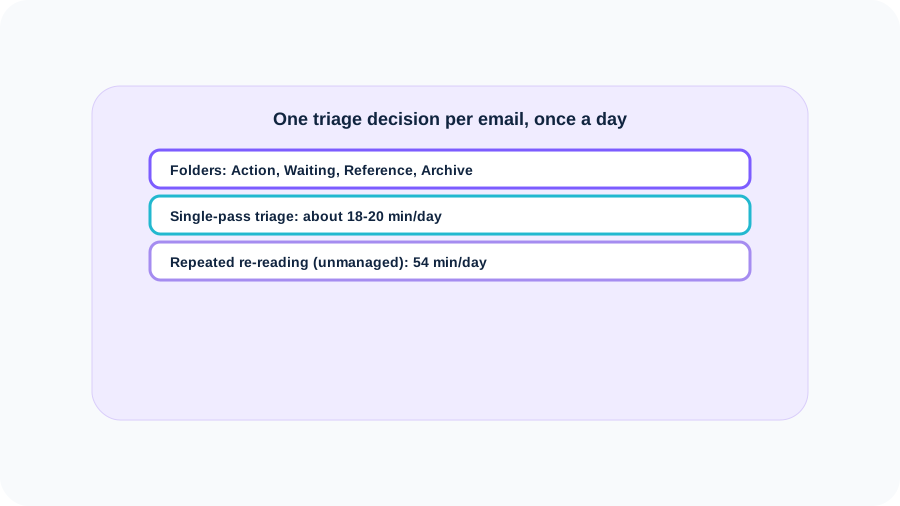
Worked example: an inbox receiving 120 emails a day, where roughly 30% (36 emails) genuinely require some action. If each is triaged once in about 30 seconds, that's 18 minutes of baseline processing. But an unmanaged inbox rarely triages each email exactly once — emails get opened, half-read, left for later, and re-opened again. If the average actionable email gets revisited 3 times before a final decision is made, the real daily time cost triples to roughly 54 minutes, more than half of it spent re-deciding on messages already seen.
Step-by-Step: The 4-Folder Triage System
Create four folders: Action (needs a reply or task, under 2 minutes to just do it now if it qualifies — the classic 2-minute rule), Waiting (sent, awaiting someone else's response), Reference (information worth keeping, nothing to do), and Archive (everything else, kept only because deleting feels risky). Every email gets exactly one of these four destinations, decided once. Anything actionable in under 2 minutes gets done immediately rather than filed, since filing something that fast to do takes longer than just finishing it.
Once a week, run a quick unsubscribe pass: for any recurring sender never actually acted on in the last month, unsubscribe rather than continuing to triage it every time it arrives.
The Daily 20-Minute Block
Set one fixed 20-minute block a day — not scattered checks throughout the day — to process everything that arrived since the last block. Work top to bottom, make the folder decision immediately, and don't reopen anything already triaged during that same block. Outside the block, the inbox stays closed; checking it constantly throughout the day is what turns a 20-minute daily task back into a background source of interruption covered in the deep work guide.
Reducing the Volume Before It Arrives
Triage systems handle volume that already exists; the other lever is reducing what arrives in the first place. Turn off every non-essential notification — badge counts, banners, sounds — for email specifically, since a visible unread count recreates the pull to check outside the daily block even with a working triage system in place. A visible badge undermines the entire premise of a scheduled block, because it advertises the exact thing the system is designed to make you stop checking constantly.
For recurring, low-value senders, a saved-reply or canned-response template for the most common 2 or 3 question types (scheduling, a standard request, a routine status update) turns a several-minute reply into a 15-second one, without lowering the quality of the response. This compounds with the folder system rather than replacing it — the templates make the Action folder faster to clear, not a substitute for triaging it.
The Short Version
Inbox Zero means processing every email once, not keeping the inbox permanently empty. A 4-folder system (Action, Waiting, Reference, Archive) plus a single fixed 20-minute daily triage block turns a 120-email inbox that could cost 54 minutes a day in repeated re-reading into an 18-to-20-minute daily task, done once and finished. Turning off notifications and using templates for repeat questions keeps the system fast enough to actually maintain.
Product recommendation
Recommended DaveWays Resources
Digital Declutter & Inbox Zero Kit
Sets up the 4-folder triage system and a daily block tracker to keep a busy inbox from piling up.
Deep Work & Focus Session Tracker
Protects the focus time this system is meant to free up from constant email checking.
FAQ
Does Inbox Zero mean my inbox has to be empty all the time?
No. It means every email is triaged into a clear destination — act, wait, reference, or delete — at least once a day, not that the inbox stays permanently at zero.
What are the 4 folders in this system?
Action (needs a reply or task), Waiting (sent, awaiting a response), Reference (worth keeping, nothing to do), and Archive (everything else).
What is the 2-minute rule?
If an email can be fully handled in under 2 minutes, do it immediately instead of filing it for later — filing something that fast usually takes longer than just finishing it.
How long should the daily triage block take?
Around 20 minutes for a moderately busy inbox, done once a day at a fixed time rather than in scattered checks throughout the day.
Why does checking email constantly throughout the day make it worse?
Each check is a task-switch away from other work, and re-reading the same unresolved emails multiple times adds time without moving anything toward a final decision.
Educational resource only. The email-volume and time figures above are an illustrative example; actual inbox volume and triage speed vary by role. See Cornell University's ILR School for research on digital communication overload in the workplace.
Join the email list for practical productivity worksheets, buying guides, and product updates.